

RenderCore
RenderCore builds 1 to 10+ hour loop videos for sleep, rain, meditation and study channels from a short clip and your music. It runs offline on your own PC: no uploads, no account, no subscription.
- Any length, from minutes to 10+ hours, as one MP4
- Music plays straight through while the picture loops
- Landscape 16:9 and vertical 9:16 output
- Two audio layers (music plus rain, waves or fire) and overlay effects
- 100% offline, one-time license, free trial with no time limit (small watermark)
- Windows 10 and 11, 64-bit
Download the free trial Get the full version Get it from Microsoft Store Guides and details
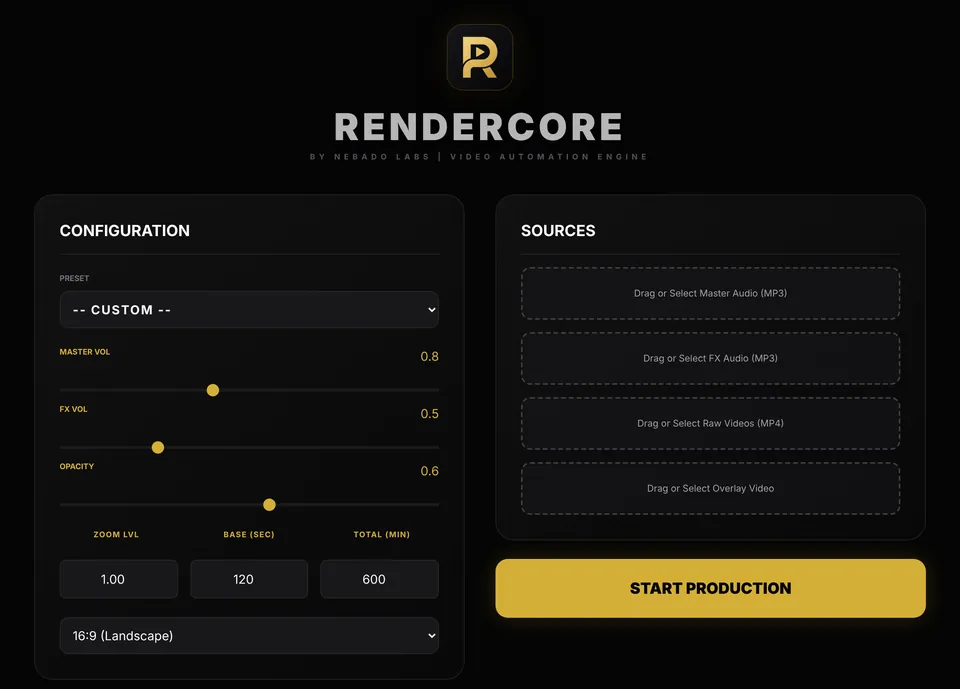
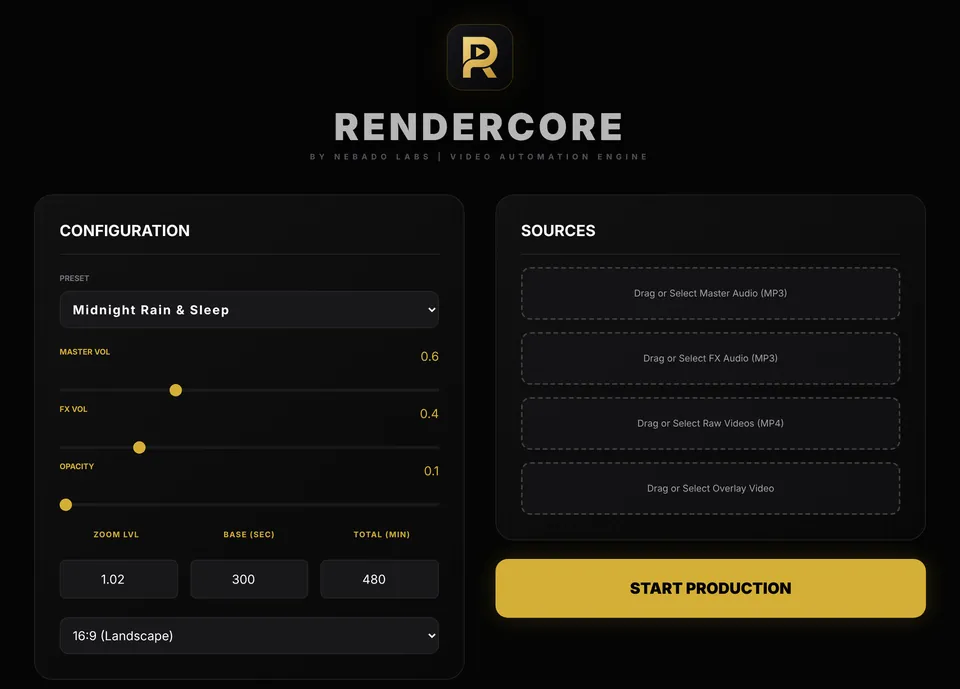
How it works
Add your sources
Add an MP4 background clip and a music track. You can also add an ambient sound layer, such as rain, waves or fire, and an overlay effect.
Set length and format
Choose the loop block length and the total video length, then pick 16:9 for YouTube or 9:16 for Shorts, Reels and TikTok. Presets are included.
Start production
The video renders on your own PC. The picture repeats while the music plays from start to finish, and you get a single MP4.
Why not a timeline editor or FFmpeg
In a timeline editor you copy and paste a clip until it reaches the length you need, then export again for every change. FFmpeg can do it, but every change of length, format or layer means rewriting commands. RenderCore asks for the sources, the length and the format, and renders.
What you can set
The loop block length and the total length, 16:9 or 9:16 output (1920×1080 or 1080×1920), music plus an optional ambient layer with separate volume controls, and overlay effects such as rain, particles or light with adjustable opacity and zoom. Presets include Midnight Rain and Sleep, Zen Meditation Space, 888Hz Abundance Aura and Vertical Shorts.
Free trial and license
The free trial has every feature and no time limit. Videos carry a small “Made with RenderCore” watermark. The full license is a one-time payment with no subscription and removes the watermark. Activation needs an internet connection once; after that the app works offline.
Your files and your rights
Everything is rendered on your PC, with no upload and no account. RenderCore includes no stock footage or music and claims no rights to your videos, so you are responsible for the rights to the clips and audio you use.
Who it is for
Creators who run long sleep, rain, meditation and study channels, and anyone who wants long loop videos or vertical clips without dragging a timeline or editing FFmpeg commands.
Questions
How long a video can RenderCore make?
From a few minutes to 10 hours or more, exported as a single MP4. Long videos are large, so keep enough free disk space. Render time depends on your processor.
Does the music get cut where the picture loops?
No. The picture loops while the music plays from start to finish.
Does it work on Mac or Linux?
No. RenderCore runs on Windows 10 and 11, 64-bit.
Does the free trial expire?
No. The trial has all features and no time limit. The only difference is the small watermark on the output.
Does it need an internet connection?
Only once, to activate the full license. After that it works fully offline.
Why does Windows say “Windows protected your PC”?
New independent apps can trigger this warning. Choose “More info”, then “Run anyway”.
Can I use any clip and music?
You need the rights to what you use. RenderCore does not include stock footage or music.